
4. Stock management
Track what's in stock, branch by branch — view, adjust, and audit movements.
Track what's in stock, branch by branch.
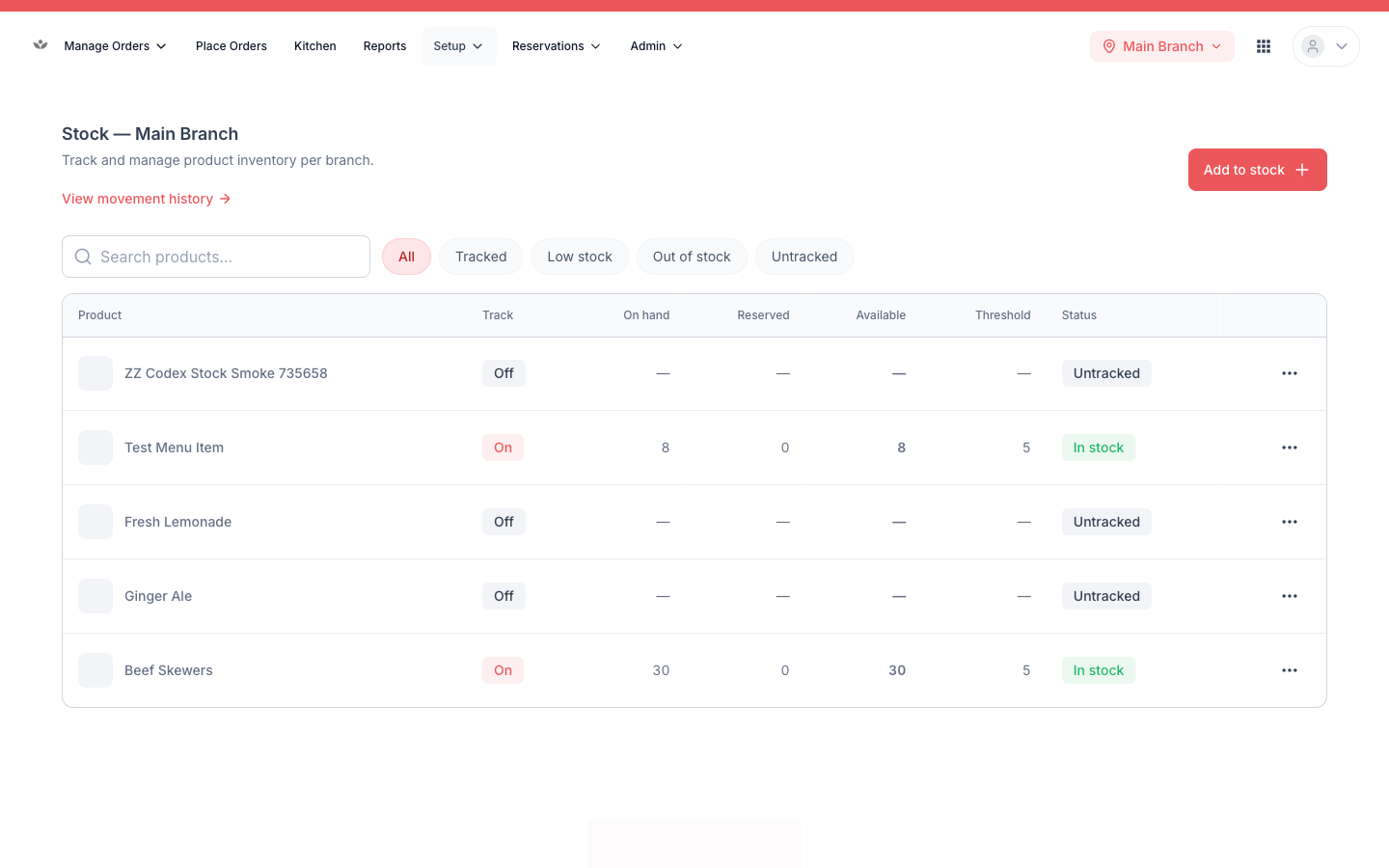
View and filter stock
- Go to Setup → Stock.
- Filter by tracked, low stock, out of stock, or untracked.
Adjust stock
- Find the item.
- Enable tracking if it isn't tracked yet.
- Enter the corrected quantity.
- Save the adjustment.
📷 Preview coming soon — The stock-adjustment control for a single item.
Movement history
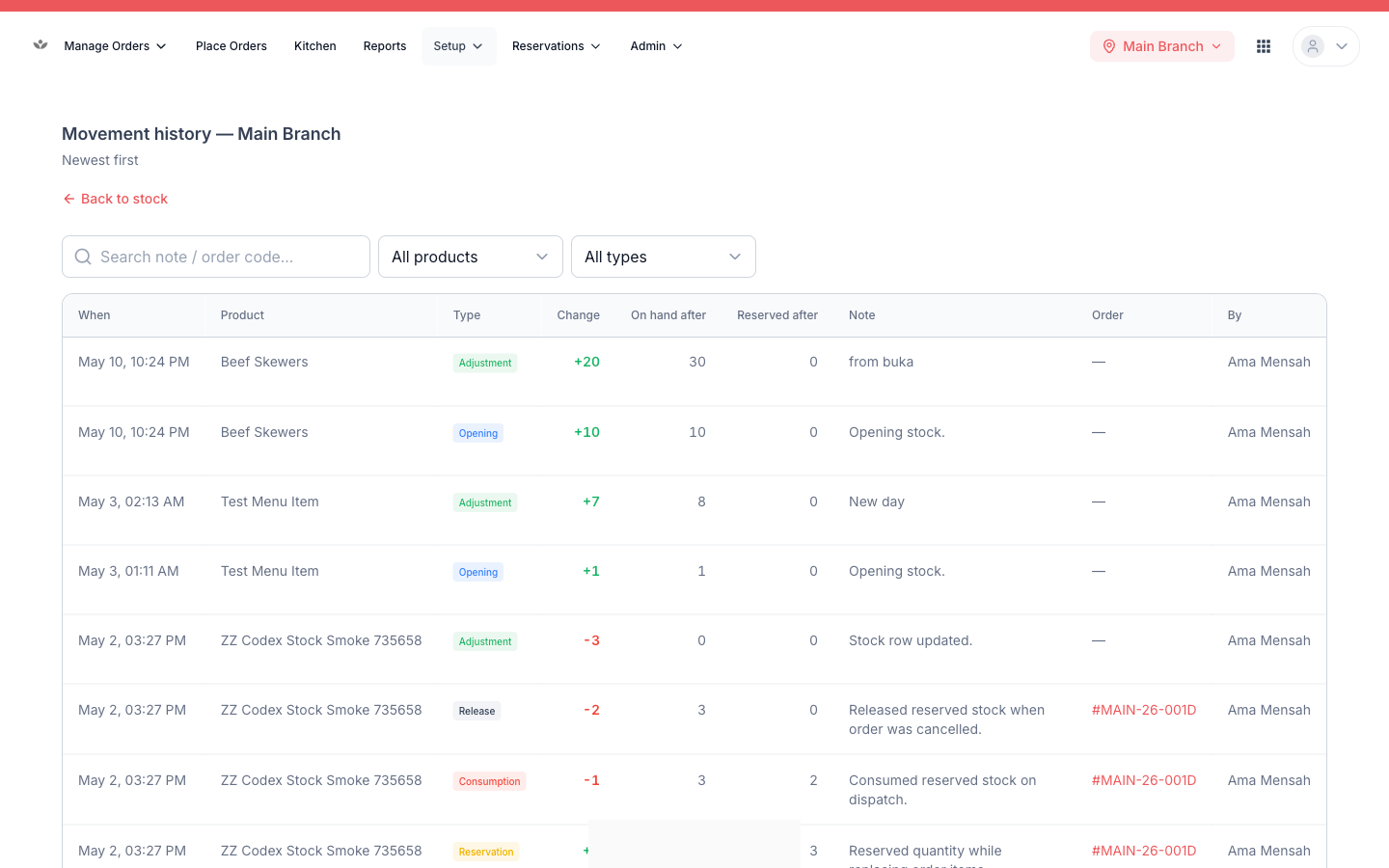
Every change is logged — sales and manual adjustments alike.
- Go to Setup → Stock → History.
- Filter by item and movement type to trace a change.
Tip
Use movement history to reconcile when a count looks wrong — it shows exactly what moved the number.